
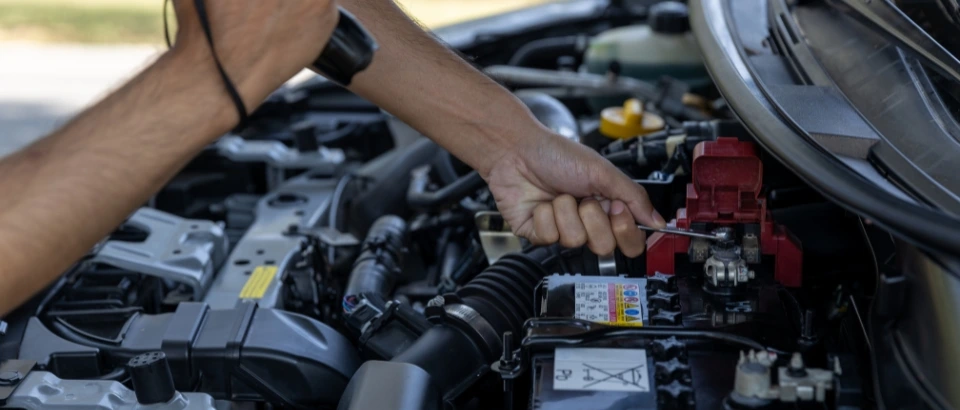
Can You Replace a Car Battery without Losing Your Vehicle’s Settings?
If you’ve ever had to change a car battery, I’m sure you’ve been concerned about one possible issue: might I lose all the settings for my car? Cars these days are more than simply an engine and four wheels. They’re packed full of electronic equipment to control radios, clocks, sat navs, seats, and even driving styles. It can be frustrating if you just replace a battery and you realize that you have brought everything back to the original factory settings.
So, can you replace a car battery without losing the memory of your vehicle? The simple answer is yes, but much depends on how you approach it. Let’s discuss why this occurs, what you can expect to lose, and what you can do to avoid this.
Why Do Cars Forget When the Battery Is Removed?
The majority of contemporary automobiles are equipped with electronic control devices (commonly referred to as ECUs). The ECUs are small computers that control the various components of the automobile, such as the fuel system, safety features, user controls, and environmental controls.
These ECUs require just a trickle of electricity to maintain the various settings when the automobile is turned off. When the battery is disconnected, the trickle of electricity stops and, if the car isn’t equipped with some sort of backup memory system, some ECUs simply forget their stored settings.
This is analogous to unplugging a digital alarm clock, which usually reads “00:00” once you plug it back in and you have to reset the time. Some automobiles have been designed to protect memory for a little while, but most cars will lose details almost instantaneously when cutting power.
What Settings Could You Lose?
While the exact items lost depend on the make and age of the car, common items on the list include:
- Radio presets: all your favourite stations will be gone.
- Sat-nav memory: potential loss of saved addresses and recently travelled routes.
- Clock: the time may revert back to midnight.
- Set the driver’s seat and mirrors: for vehicles equipped with electric memory seats, you may need to set them up again.
- Electric Window: Certain vehicles may require relearning of the top and bottom window limits.
- Central locking/alarm codes: uncommon, but some vehicles may lose the need to re-sync.
- Engine management settings: The car’s computer can learn your driving style the first few times it is driven, to improve fuel usage. If the power goes out, it starts fresh, and can feel slightly different for quite a time afterward.
In most cases, these will be minor inconveniences, but in rare cases, the car will not work until everything is reprogrammed.
How to Change a Battery without Losing Settings
There are several safe ways to keep your settings when swapping batteries.
1. Use a Memory Saver
A memory saver is an inexpensive little gadget that provides an insignificant amount of electrical energy while the main battery is disconnected. It generally plugs into the OBD port under the dash or a cigarette lighter.
The memory saver detects battery power from an external battery, usually a plug-in to a 9-volt battery, to keep your car’s computers awake, at least until power is lost. There is no loss of preset radio stations, for example, as long as power is maintained.
Simple and inexpensive, but be sure to purchase a quality memory saver; inexpensive memory savers do not provide consistent power and can create bigger messes than they fix.
2. Use a Spare Battery or Booster Pack
A battery should be connected to your vehicle before you remove the old battery. Hook the spare power source to the vehicle’s positive and negative leads so your vehicle still has electric power while you work.
This works fine, but it is cumbersome. You want to be sure the connections to the spare battery are good and safe; if the power supply falls for even a second, you will lose all your settings. You also need to be sure the leads do not come in contact with any steel parts that could potentially catch fire, and is very important.
3. Replace the Battery Quickly
If your car is relatively new, its memory will likely persist for a few minutes when the battery is removed. Therefore, swapping the battery quickly will be beneficial. Have a new battery ready, loosen the old battery, and then replace car battery as quickly as possible.
Once again, no guarantees. Some cars will retain their memory, some may not. If you have any doubts, it’s best to err on the side of caution and use one of the two methods above.
Read More: Guide to Changing Your Car Battery
What If You Have Already Lost Your Settings?
If you swap the battery without a backup power source, you will have to reset some things manually.
- Radio: You will need to enter your favourite stations again. Some radios also require a security code after the battery has been removed, so write that down as well.
- Clock: You will have to set the time manually. Windows and sunroof: Hold the switch all the way up and all the way down to reset the limits.
- Seat and mirrors: Set them to your comfort and save them again if the car allows that. Sat-nav: you will have to reload your addresses or update the maps as needed.
- Engine computer: Just drive normally for a week or two, and the computer will relearn your habits on its own. In rare cases, particularly with alarms or immobilisers, you might need a dealer or garage to reprogram it.
Is It Worth Doing Yourself or Visiting a Garage?
If you are knowledgeable about basic car maintenance, replacing the battery yourself is not too much of an issue. You only need some tools and some patience. If you want, using a memory saver is safe and will save you hassle later.
In some cases, however, many modern cars have complex systems that can be sensitive to power changes. In those cases, many people prefer to let a garage do the work. Garages usually have professional tools, with the ability to keep your vehicle alive while changing the battery.
It is purely a matter of confidence and convenience. Changing the battery yourself saves you money, while changing the battery in a garage saves time and mitigates risk.
Read More: Benefit to Get Your Car Battery Replaced by an Auto Technician
Safety Tips When Changing A Battery
- Make sure the ignition is off before you begin, for your own safety.
- Wear gloves and eye protection, as batteries contain acid.
- Remove the negative lead first, then the positive. When installing the new battery, reverse the order: positive, then negative.
- Ensure the new battery is the correct size and type for your vehicle.
- Properly dispose of the old battery at a recycling center or garage. Never place it in your household waste.
Final Thoughts
Is it possible to change a car battery and keep all your vehicle’s settings? The answer is yes! Changing your battery can be easy and painless with a memory saver or auxiliary power supply. And if you forget to use one, most of your settings will be easily put back.
The most important part is to prepare. Gather your tools, know your radio code if applicable, and decide whether or not you want to go the do-it-yourself route. This takes the pressure off and gets you back on the road quickly.
Although a car battery can be heavy and messy, changing it does not have to be. Take a little care, and it can be changed without losing personalized settings like your favorite music or saved travel destinations, or adjusted seat position settings.


